How to add Smartcode to your Shopify store using Dev Dashboard
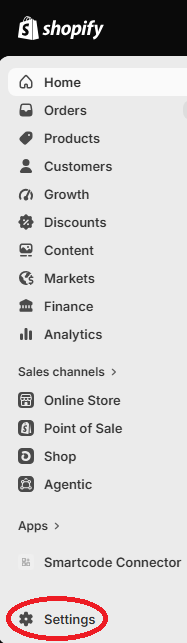
To integrate Smartcode into your Shopify store as a private app go to your store admin, which will be on an url similar to https://admin.shopify.com/store/{your store name} Click Settings <figure...
To integrate Smartcode into your Shopify store as a private app go to your store admin, which will be on an url similar to
https://admin.shopify.com/store/{your store name}
Click Settings
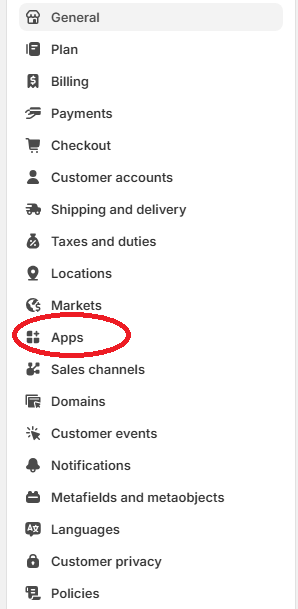
Then Apps
Then Develop Apps

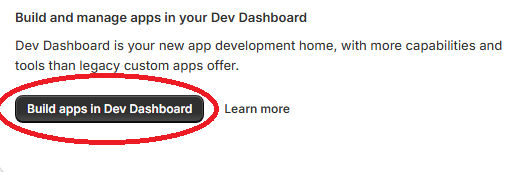
The Build apps in Dev Dashboard
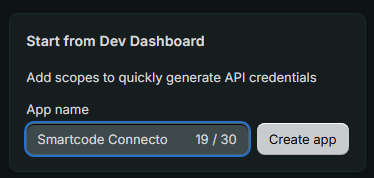
The Creat app
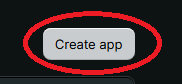
Give the app a name, such as "Smartcode Connector" and click "Create app"
Select the following scopes:
read_orders, write_orders, read_products, write_products, read_assigned_fulfillment_orders, write_assigned_fulfillment_orders, read_customers, write_customers, read_fulfillments, write_fulfillments, read_inventory, read_merchant_managed_fulfillment_orders, write_merchant_managed_fulfillment_orders, read_order_edits, write_order_edits, read_packing_slip_templates, write_packing_slip_templates, read_product_listings, read_shipping, write_shipping, read_third_party_fulfillment_orders, write_third_party_fulfillment_orders
Enter the following App Url:
https://shopify.dev/apps/default-app-home
Select Release
While viewing the Smartcode Connector app in the dev dasboard, select to install
