Pather Logictics Linnworks Shipping Integration
A Linnworks App used to generate Panther Logistics shipping labels To install the app, navigate to the Linnworks Application Store and search for "Panther Logistics". This will allow you to install...
Pather Logictics Linnworks Shipping Integration
A Linnworks App used to generate Panther Logistics shipping labels
To install the app, navigate to the Linnworks Application Store and search for "Panther Logistics". This will allow you to install or manage the application.
You will then be asked to give the integration an internal Account Name:
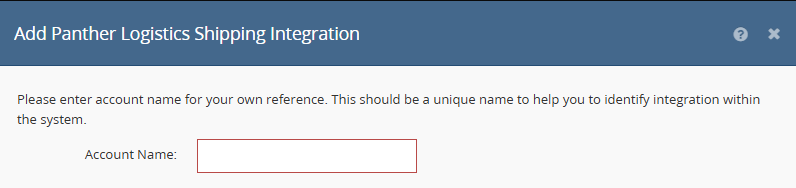
As part of the configuration you will also need to enter your API key which is available from your Panther Logistics account manager.
Once the configuration is complete you can not configure the required services. To add specific services to Linnworks, select the "Services" button.
Here you can add any required services to the system:
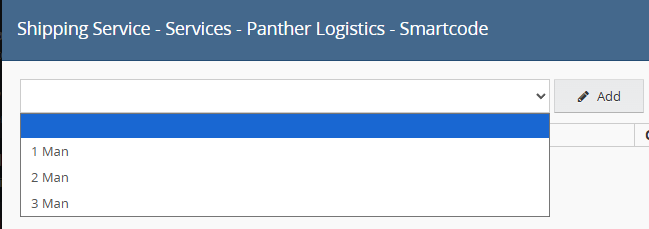
Once added, you can name the service using the "Linnworks Service" text box.

Once the service is added, you can then further configure the service using the "Edit" button. This will allow you to specify the Panther Logistics Shipping Service.
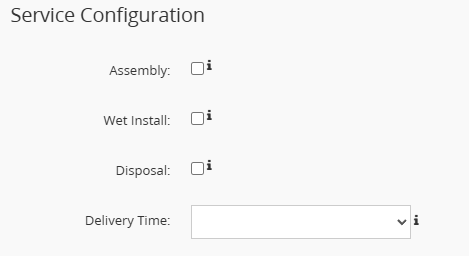
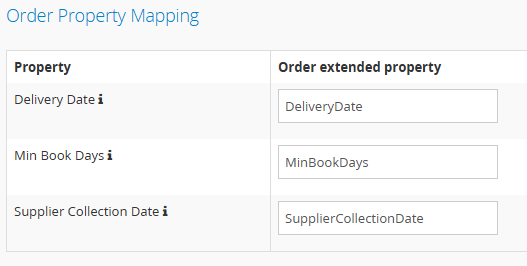
If you would like to specify delivery details, they may be added using extended order properties. To configure this select the "Properties" button from the Linnworks Shipping Services screen.
This will allow you to optionally map specific extended properties to the delivery details using the specific name of the extended property.
Once all required services have been added, they will become available to use with Linnworks.