How to obtain your WooCommerce API Credentials
Access your Woo Commerce API keys from Wordpress admin In order for Smartcode to access your Woo Commerce installation you will need to provide your Woo Commerce API keys This can be done as follows:...
How to obtain your WooCommerce API Credentials
Access your Woo Commerce API keys from Wordpress admin
In order for Smartcode to access your Woo Commerce installation you will need to provide your Woo Commerce API keys
This can be done as follows:
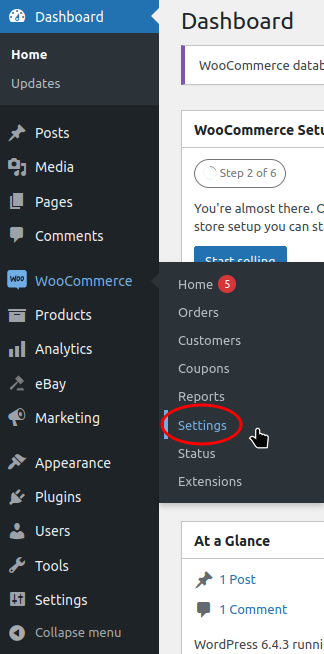
Within the Woo Commerce Admin, hover over WooCommerce in the left bar and click Settings
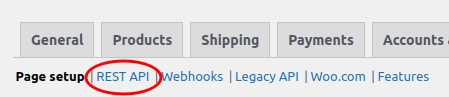
Click the Advanced tab

Click REST API
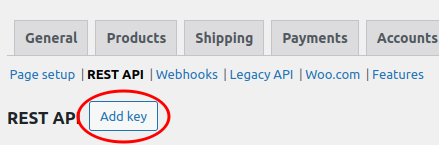
Click the Add key button
Enter 'Smartcode' as your description and set permissions will need to be 'Read/Write'.
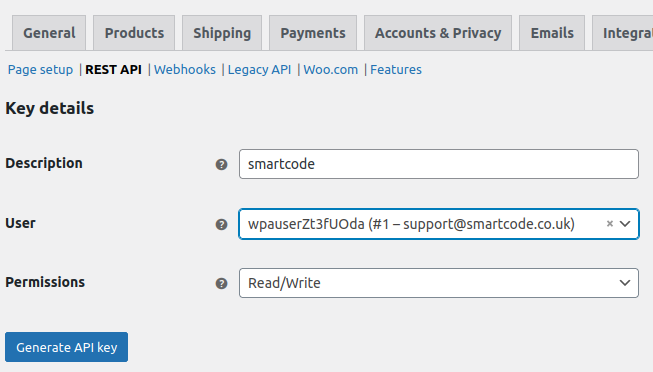
Please note that the User must be marked as an administrator. If you're not sure, choose the user you are logged in as, as you will be marked as an administrator.
Finally, click the Generate API key button.
Your API keys will now be generated.
As the site explains you will need to note down the key and secret as you won't be able to access them again. If you forget or lose the details then revoke the key and generate another.
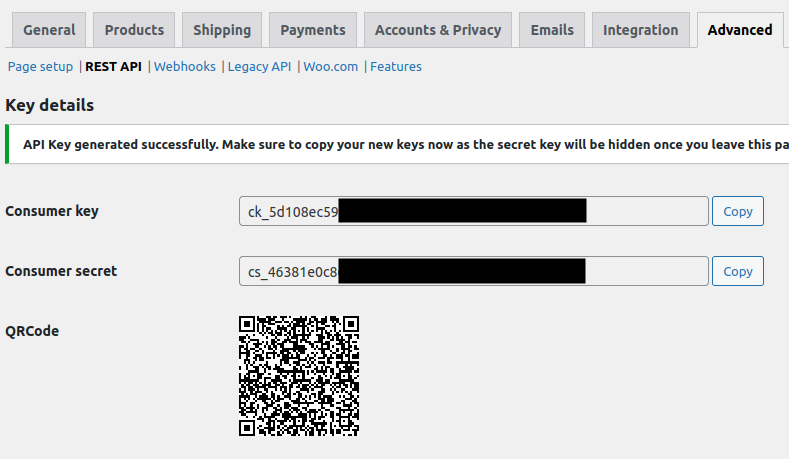
We will need both the key and the secret.