Configuring your Motorola TC55 for use with Smartcode
Enabling the 'auto buffer submit' setting to ensure your scan data is submitted If you are using a Motorola TC55 you'll need to enable the 'auto buffer submit' setting from the administrator settings...
Configuring your Motorola TC55 for use with Smartcode
Enabling the 'auto buffer submit' setting to ensure your scan data is submitted
If you are using a Motorola TC55 you'll need to enable the 'auto buffer submit' setting from the administrator settings within the Smartcode application.
You will first need to find your device id, which you can find on the bottom of Scan home. We have a guide here
Once you have your device code, you'll need to enter settings within the App by tapping on the icon in the top left
Scroll down and tap Administrator Settings

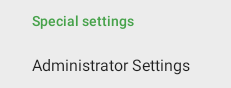
Enter your device code and you will see the device administrator settings. Tap Auto Buffer Submit to tick the checkbox

You can then return to Smartcode home and your TC55 will scan successfully.