Increment on First Scan Setting
Making use of increment on first scan when conducting a stock check If you are planning to conduct a stock check by item scan you may wish to enable the 'Increment on First Scan' setting which will...
Increment on First Scan Setting
Making use of increment on first scan when conducting a stock check
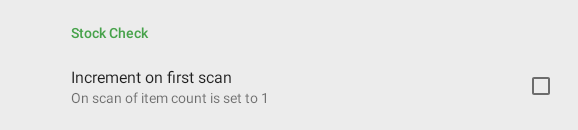
If you are planning to conduct a stock check by item scan you may wish to enable the 'Increment on First Scan' setting which will allows the initial scan of an item to set the counter to '1'.
To enable this setting tap your setting icon in the top right

Then scroll to the 'Stock Check' section and enable 'Increment on first scan'
Did you find this article helpful?